
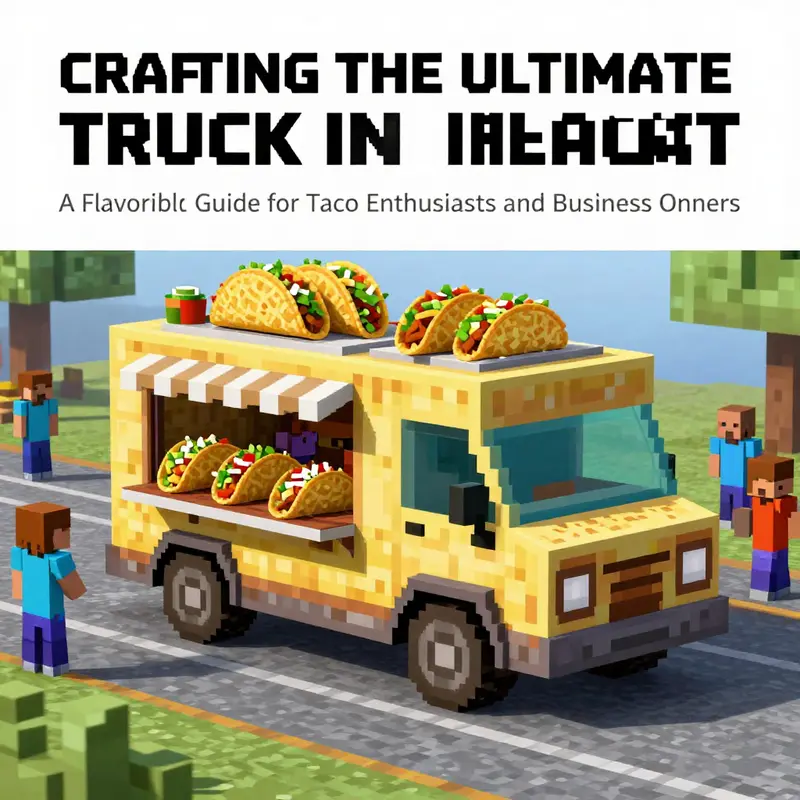
Building a taco truck in Minecraft goes beyond mere fun; it’s a vibrant way to combine creativity with culinary passion. Whether you’re a dedicated taco fan or a taco business owner looking for inspiration, designing a pixel-perfect taco truck in your Minecraft world can be both exhilarating and rewarding. From the structural foundation to the interactive elements, each chapter of this guide is simmering with ideas and techniques that you can implement. Join us as we explore the steps to craft your very own taco truck, focusing on the structure, creative details, interactive features, and even customizing your experience with textures and mods. Let your imagination run wild while creating a taco haven as delicious as the real thing!
Blueprints of Flavor: Designing a Taco Truck Structure in Minecraft
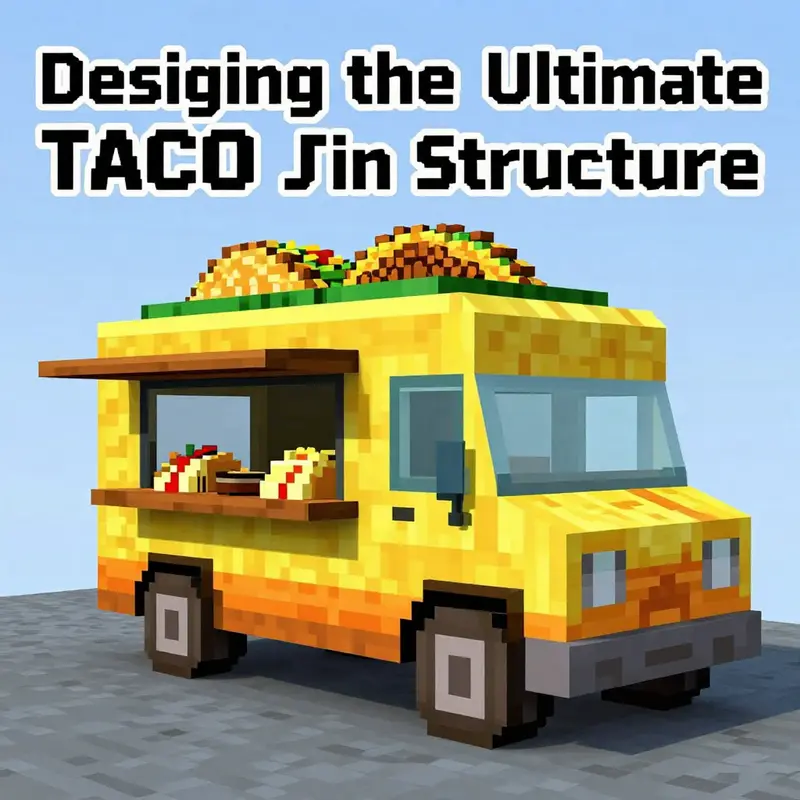
Designing a taco truck in Minecraft is less about replicating a real-world cart and more about translating appetite and motion into a compact, believable three-dimensional scene. You begin not with a recipe but with a plan for space, shape, and color that communicates speed, service, and a dash of street-side charm. The goal is to craft a structure that feels walk-up friendly, inviting passersby to imagine a warm counter, sizzling pans, and the distant hum of a market as you mine your way toward a tasty, blocky reality. Where you place your build matters as much as how you build it. A flat clearing near a village plaza, a busy roadside stretch, or a market corner gives you a natural rhythm for a taco-focused stop. The site should invite exploration: a small veranda or awning, a visible counter, and a bright face that catches the eye as the sun travels across your world. In this sense, the taco truck becomes a stage set for imagination, where the textures and colors do the work of flavor and speed even before any real food exists in the game.
The design language you choose will set the tone for the entire project. Start with a sturdy base that reads as a vehicle ready to roll at a moment’s notice. A solid chassis helps the eye read the structure as more than a decorative box; it anchors the building in the world and gives you room to play with proportions. A practical approach is to use a dark gray or black concrete foundation, a visual cue that this is a compact, mechanical platform. From there, build a rectangular body in a bright, inviting palette—think yellow or orange concrete—to evoke the warmth of freshly made tortillas and sunlit peppers. A five-by-three footprint often works well for a storefront-like taco truck in Minecraft, giving enough interior space for a compact counter, display pieces, and a tiny interior without feeling cramped. Elevate the profile with a lightly raised roof using slabs or stairs, which adds a sense of movement and a dynamic silhouette when viewed from the street. The roof can tilt slightly at the rear or include a small overhang, suggestions of awnings or service windows that reinforce the idea of a mobile kitchen parked and ready to serve. The key is to keep the lines clean and legible so that even a casual observer can read the craft from a distance. When you step back, the truck shouldn’t merely exist in space; it should feel ready to greet a line of hungry travelers, with the color blocks whispering the flavor and vibrancy you plan to deliver.
Windows and entryways are the eyes of a taco truck’s character. Wide, clear glass panes work well for a front window that acts as a serving hatch; they signal openness and accessibility. If you prefer a more whimsical look, you can substitute bright stained glass to echo the colors of vibrant fresh toppings. Placing a doorway on the side or rear of the vehicle helps maintain the rhythm of the storefront while giving a believable flow for staff and customers. A simple wooden door can anchor the human-scale interaction, while a glazed panel or two can hint at the interior’s activity without revealing every detail. The doors and windows are not just decorative elements; they guide the player’s eye and invite interaction. A gently sloped roof not only adds visual interest but also gives you a place to install lighting that reads as functional work light rather than mere ambience. The roof’s edge can be trimmed with slabs to soften the transition between the top and the sides, suggesting a well-kept, professional job rather than a blocky, amateur build. After all, in Minecraft, personality lives in the small choices as much as in the large forms, and a taco truck that reads as a well-loved, carefully composed set piece will feel more inviting than something that looks hurried or incomplete.
Taco-themed details are where the build comes to life and begins to tell a story. A sign above the truck is a quick, recognizable shorthand that communicates the concept at a glance. Rather than simply naming the vehicle, you can craft a bold, legible sign that reads something like taco stop on a weathered board; the texture and placement of the sign will communicate a sense of place and reliability. The display is a playful opportunity to translate ingredients into a blocky, edible theater. You can craft a circular display using stacked blocks to suggest tortillas and toppings: brown wool for tortillas, green wool for lettuce, red wool for tomatoes, and white wool for cheese. The idea is not to replicate real food exactly but to evoke the gist of a taco—color, texture, and arrangement—so players instantly recognize the display as food. A carved pumpkin or melon slice can stand in as a stylized taco shell, offering a friendly, oversized silhouette that reads well at a distance. Nearby, a simple crafting table and a few decorative blocks can masquerade as a prep area, while a bowl of decorated blocks can imply a ready-made mix or sauce. The display case behind the counter can be simulated with a row of slabs and a few chests and signs to convey a basic menu. Across the counter, a line of stone bricks or smooth stone makes for a sturdy, tactile surface that feels like a real serving line, a place where customers could imagine placing orders or watching the cook toss a sizzling pan. These elements—color, texture, and arrangement—combine to create a convincing edible theater that suits a world built from blocks and imagination.
The counter and service area are the heart of the truck’s function, both visually and conceptually. A long strip of stone bricks or smooth stone reads as a robust counter, a place where the imagined cook would lean in to take an order. A small trench or shelf behind it can serve as a mental tipping point between service and storage, with a hopper and chest suggesting a tiny, functional inventory system that players can pretend to interact with. The counter design should also leave room for a staff passage and perhaps a small doorway to a compact interior. Even a modest interior can convey a sense of purpose: a single cook’s station with a few essential blocks for a stove, carefully arranged with the surrounding space left open for the staff to move. This is not about realism to the letter but about a believable, readable workflow that players can imagine walking through as they queue for their meals. If you want to push the sense of interactivity, consider lining the back of the counter with a small array of levers or buttons to simulate a menu board, or place a few glowing blocks to mimic a warm, inviting glow from the stove area. The aim is to bridge form and function with a few careful choices, so the taco truck feels alive even when it’s simply a blocky rendition of a mobile kitchen.
Interactivity is where the taco truck design can move from static sculpture toward a playful, interactive experience. A basic automatic door can be implemented with a pressure plate or a button linked to a simple redstone mechanism, giving players the satisfying moment of stepping into a compact kitchen-seller space. If you want to extend the illusion, you can set up a dispenser to spit out a ceremonial “taco” item when a customer interacts with a button, a tiny theatre moment that mimics a food handoff. The “tacos” could be represented by a neatly arranged cluster of tiles or a cake slice shaped in a way that resembles a folded tortilla, offering a small, whimsical interaction that reinforces the concept without requiring real food in the game. Lighting is essential for mood and visibility, especially at night. A ring of glowstone or lanterns placed around the truck can create a warm halo that makes the yellow body pop and makes the serving area feel approachable after dark. The lighting should be balanced to avoid harsh glare while ensuring the display is visible from a comfortable distance. These interactive touches—door automation, playful dispense moments, and strategic lighting—help the build communicate its intended use even before a player reads a sign or approaches the counter. They turn a simple block construction into a stage on which players can imagine the daily hustle of a traveling kitchen and the joy of sharing a meal with friends and strangers alike.
For builders seeking a deeper infusion of authenticity, there are paths beyond vanilla textures that can enhance the taco truck’s presence. You can explore texture packs or texture-work flows to push the colors closer to what you envision, or you can pursue modeling workflows that let you craft a custom texture for the shell and toppings and apply it via a resource pack. The idea is to respect the game’s style while inviting a touch of culinary whimsy. If you want to simulate a more polished, professional look, you can plan a version of the truck with a raised rear deck, subtle weathering on the panels, and a small sign that reads TACO TRUCK in bold type. The point is to keep your design coherent with the world you’ve built and to allow it to tell its story at a glance rather than requiring a long read. The result is a structure that feels practical, friendly, and fun—a place where the imagination is free to roam as players pass by on their way to other adventures. As you move from the shelter of block choice to the rhythm of color and proportion, your truck begins to feel less like a static model and more like a small, movable business in a world built on blocks and stories. For readers who want to see how real-world food ventures are framed in creative contexts, you can explore broader discussions on choosing the right food truck, which ties the Minecraft build to a larger conversation about design, function, and brand presence. Choosing the right food truck (https://fireduptacotruck.com/choosing-the-right-food-truck/). To broaden your horizons further, you can also consult general building concepts from external Minecraft resources as you refine your techniques and approach. For broader building concepts, see external guide: https://minecraft.fandom.com/wiki/Building
Adding Flavor to Your World: Crafting Creative and Thematic Details for a Taco Truck in Minecraft
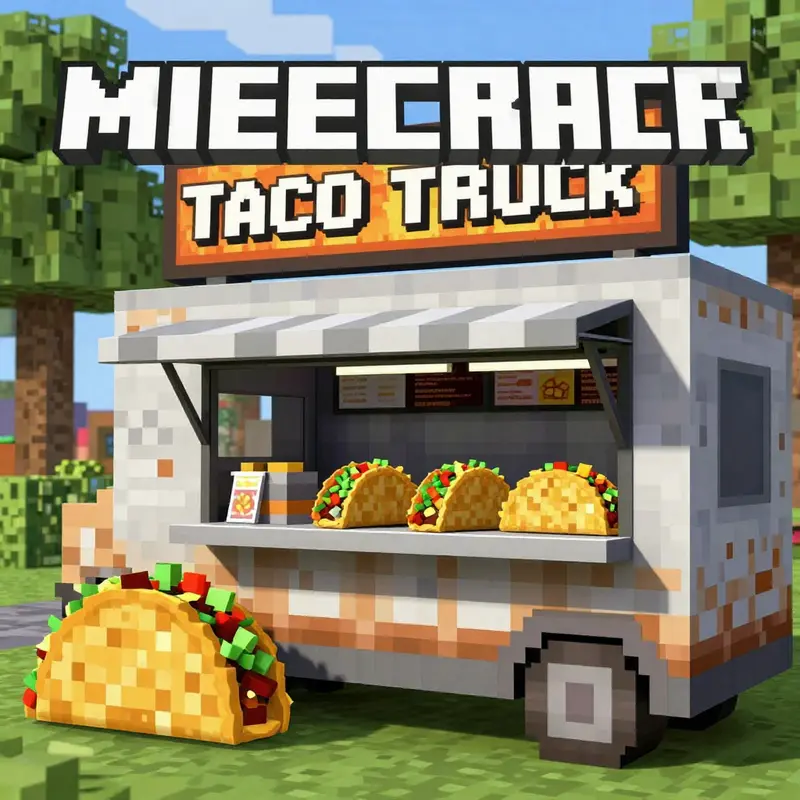
A taco truck in Minecraft is more than a clever disguise for a useful storefront; it becomes a story you tell with blocks, textures, and light. When you design a structure that feels like a real street eatery, you invite players to explore not just a space but a moment in a bustling game world. The creative challenge lies in translating the playful, bright energy of a taco stand into the blocky, tactile language that Minecraft rewards. The goal is to fuse form and function so your truck both looks appetizing and serves as a memorable hub in your landscape. You begin with a grounded plan that respects the world’s scale while allowing for whimsy. Pick a flat, accessible patch—perhaps near a village square, a roadside market, or a plaza-driven by foot traffic. The terrain matters because a taco truck thrives on presence. It should feel small enough to be a cozy, walk-up shop yet inviting enough to attract players from a distance, its colors and geometry signaling a welcoming bite-sized adventure in your ongoing build narrative.
The first discipline is the chassis: a sturdy, believable base that anchors the entire project. Many builders start with dark blocks to imply a metal frame or the undercarriage of a vehicle. Black concrete, dark gray concrete, or even charred wood planks create a chassis that reads as solid when seen from multiple angles. On top of that base you stack the body. A compact rectangle—five blocks long and three blocks wide—gives you a comfortable footprint. The body’s color scheme is where the truck begins to glow with character. Bright yellows, warm oranges, and even candy-apple reds echo the vibrant palette of street food graphics. These hues are not merely decorative; they function as wayfinding cues. A bold color conveys the truck’s mood and purpose from a distance, guiding players to the service window and the column of steam that hints at a cooking area beyond. Windows are essential for warmth and accessibility. Narrow panes or even stained-glass accents invite light into the interior and provide a glimpse of the activity inside—the cook’s hands, the staff passing plates, the glow of a furnace or campfire simulating a sizzling grill. A door serves as the entry point for players who want a closer look or to role-play as customers. Wooden doors in oak or spruce can complement both rustic and modern vibes, depending on how you pair them with other materials. The roof line deserves consideration too. A slightly raised roof, created with slabs or stairs, gives the truck depth and shadow. A well-formed roof announces that this vehicle has a life beyond mere walls; it feels ready to roll, to pull up beside a blocky curb and declare, in block form, that tacos are here and now. The finished silhouette should reward curiosity on approach and invite a walk-around that reveals the micro-details that make a build feel alive.
Once the frame is established, the real flavor comes through with carefully chosen taco-themed details. A sign above the truck—bold letters, perhaps rendered with painted banners or sign blocks—announces the shop’s identity. The text can be simple and direct, like “TACO TRUCK,” but you can push it further with a playful motto or a pun-driven name that speaks to your world’s culture and humor. Under the sign, the display area becomes a stage for the edible illusion. A taco display can be crafted with a circle of earth-toned blocks and contrasting greens, reds, and creams to evoke tortilla, lettuce, tomato, and cheese. The tortilla itself can be represented by brown wool layered to suggest a curved shell, with lettuce created from green wool, tomatoes from red wool, and cheese from white wool or smooth white blocks. For a three-dimensional effect, you can use a carved pumpkin or melon slice as a stylized taco shell—an option that gives a playful nod to the culinary performance happening just beyond the counter. Nearby, a small crafting table and a bowl of “tacos” built from colored blocks can serve as a playful display that invites closer inspection. The counter is essential, signaling a border between kitchen and customer. Construct it with stone bricks or smooth stone to convey a sturdy, industrial feel. A row of hoppers and chests behind the counter can emulate a simplified inventory system, a visual shorthand for the kitchen’s workflow and a nod to the care you put into the preparation of each bite-sized Minecraft meal. The counter is more than a place to stand; it is the threshold of interaction where the dream of a taco stand becomes a tangible, in-world experience.
Interactivity is where a taco truck becomes an event rather than a static sculpture. Redstone mechanisms open doors with a gentle prodding pulse, adding a touch of automation that feels both practical and magical. A pressure plate or a button can trigger an automatic door, making the customer experience smooth and satisfying. A simple dispenser can deliver a “taco” to players who press a button—imagine a little celebration as a crafted item pops out, perhaps a cake or a loaf representing tacos with a wink of whimsy. You can pair this with a tiny light show using glowstone or lanterns that switch on as dusk falls, transforming the truck into a warm beacon in the night. The ambiance matters almost as much as the function; lighting can turn a daytime build into a nighttime magnet, inviting players to linger, barter, and imagine the sizzling soundscape of a busy roadside kitchen.
Texture and texture management underpin the theme in deeper ways. If you lean toward a modern look, quartz or light-colored concrete surfaces contrast with the darker chassis to deliver a bright, airy interior. If you prefer a rustic charm, spruce wood can frame the truck with a warm, timeless feel, complemented by terracotta blocks that provide pops of color reminiscent of market stalls and festival accents. The materials you choose do more than decorate; they cue mood and atmosphere. You can push the celebratory vibe through color variety—terracotta blocks in citrus hues, wool in bright greens and pinks, or banner designs that mimic decorative signage. The objective is to tell a cohesive visual story: this is a taco truck built not only to serve but to celebrate the community that gathers around flavorful, shareable moments.
If you want to go deeper, you can explore texture upgrades or texture-mapped details that add realism. Resource packs can provide food-themed textures that make the display ingredients read more convincingly. For builders who enjoy remapping or customizing characters, mods that introduce non-player characters with sales dialogue can turn your stand into a functioning shop with a host who greets visitors and bags their tacos with a friendly sign-off. Tools like 3D modeling software for texture painting can help you choreograph the exact shapes of shells and toppings, then import those textures into your game. Even without mods, a well-placed sign, a clever use of color, and careful block choices can create an authentic, immersive experience. The joy comes from balancing the literal building blocks with the symbolic blocks—the signs, the display, the display items—that communicate “food” and “service” in a world where texture and light do most of the storytelling.
With the structure and the theme established, you begin to layer in additional narrative touches. A menu board behind the counter can be a simple row of signs listing different taco variations—each one a micro-story in itself. A lore block, perhaps a banner with a stylized taco motif, can carry a friendly backstory for your stand: where the stand travels, what special it offers, or a quirky origin tale about your chef’s journey through the blocky world. The goal is not simply to decorate; it’s to invite players to engage with the world you’ve created. The taco stand becomes a microcosm—a portable kitchen, a crossroads for players, a place where images of sizzling tortillas, bright salsa, and cheerful chatter drift through the air as if the world itself were a market that never truly closes.
If you’re seeking a practical path to inspiration beyond your own imagination, consider the practical guidance available in detailed, community-tested builds. For further inspiration and step-by-step visuals that align with this approach, explore the Fireduptacotruck blog. This resource offers a distilled set of techniques for constructing a themed truck with a menu of options, from base structure to decorative flourishes, and it can serve as a useful companion as you refine your build. The blog’s emphasis on cohesive color schemes, interactive features, and playfully thematic touches complements the ideas outlined here and can help you iterate toward a final, polished version of your taco truck that fits naturally into your Minecraft world. Fireduptacotruck blog
As you finalize details, remember that the beauty of Minecraft lies in iteration. The taco truck you design today can evolve with your world tomorrow. You might swap out blocks for more custom textures, or introduce a villager who acts as a friendly taco vendor, trading “tacos” for coins you generate with redstone-powered servers of your own invention. The core is to maintain a balance: keep the structure approachable, keep the color palette appetizing, and keep the interactivity lively without overwhelming the scene. The result is a cohesive, charming, and functional microcosm of a taco-stand culture in your Minecraft universe. Your truck doesn’t simply exist; it invites players to linger, chat, mock-argue about taco toppings, and, most importantly, to imagine themselves buying a delicious, pixelated bite in a world where every detail matters. A well-designed stand has a personality that resonates with passersby and with the builders who crafted it, turning a blocky storefront into a memorable destination within your creative landscape.
For readers who crave a structured, step-by-step visual guide while keeping the narrative feel intact, the linked external reference provides a detailed walkthrough of how to construct a taco truck with authentic touches. A practical, community-tested approach can be found in this detailed Minecraft taco truck guide. https://www.minecraftforum.net/forums/minecraft-mobile/3417960-minecraft-how-to-build-a-taco-truck-with-detailed-steps-tips
null
null
Texture, Tech, and Tacos: Elevating Your Minecraft Taco Truck with Custom Textures and Interactive Mods
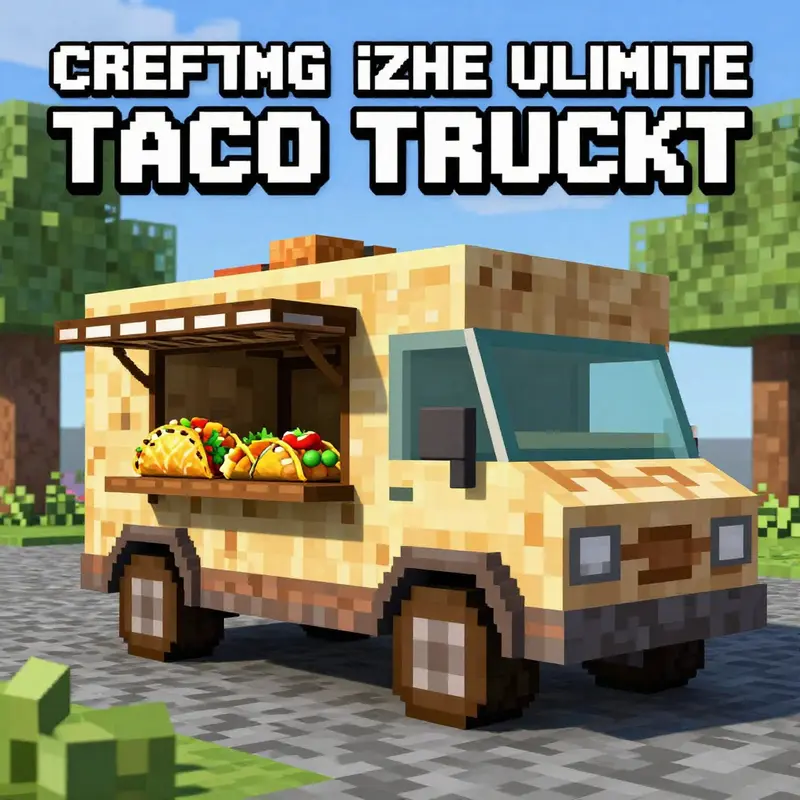
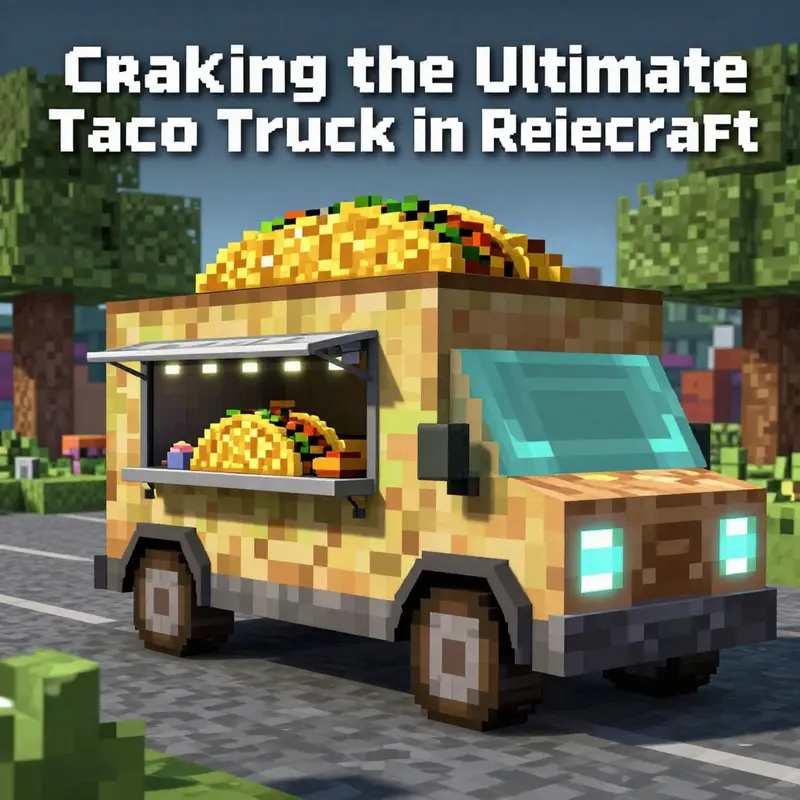
A taco truck in Minecraft can be a playful weekend project or a centerpiece of a bustling virtual market, but the magic happens when texture and interaction fuse with imagination. This chapter takes you beyond the basic build and invites you to explore how texture packs, lighting, and modular, interactive elements can turn a bright yellow blocky vehicle into a believable, inviting taco stand. The goal is not to introduce a long list of new items but to transform the look and feel of existing blocks and mechanisms so that players experience a sense of place and appetite—without stepping outside Minecraft’s own aesthetic language. Think of texture as the seasoning on a simple recipe: it highlights form, mood, and function, while mods or NPC-like interactions provide the service flow that makes the truck feel alive rather than static scenery.
Begin with a thoughtful plan that starts where a real taco truck would—location, flow, and visibility. A flat, open space in a village plaza or market district gives stability to your design and makes the truck a natural meet up point. The chassis and body should read as a compact food service vehicle, so the palette matters. Instead of a single, uniform color, use a restrained but flavorful combination: a metallic base achieved with darker, cooler tones for the chassis, and a warm, appetite-stimulating surface for the serving area. Resource packs or texture packs become your brush, letting you push the illusion: metal panels with brushed texture, glossy glass for windows, and signage that looks hand-painted rather than printed. The texture work is not merely cosmetic; it frames every interaction and sets expectations for what comes next.
Texture work thrives when you think in layers. The foundation can be a sturdy, metallic gray using stone or metal-inspired blocks, but the body should be more vibrant to shout its culinary purpose. A bright yellow or orange tone for the main body communicates energy and flavor, while a slightly darker top edge with a subtle gradient can imply a real roofline or awning. Textures also help define small details that players habitually scan: the seam lines on a counter, the gleam of a glass window, the roughness of a wooden door. If you are using a resource pack, you can adjust the texture scale so that these details read clearly at different distances, maintaining legibility even as players walk closer to inspect the taco display.
But texture alone cannot convey function; you want a serving counter that feels tactile and accessible. A counter built from stone or smooth stone blocks reads as a durable surface suited for fast service. The display area is your centerpiece for texture-driven storytelling: a circular, stacked tortilla representation can be hinted at with layered color blocks—brown for tortillas, green for lettuce, red for tomato, white for cheese—arranged in a way that reads as a stylized, edible model. You can use carved pumpkins or melon slices to evoke a taco shell’s curvature, but the texture choice should stay aligned with the rest of the truck so the entire scene feels cohesive. Nearby, a crafting table and a small arrangement of bowls or colored blocks can function as a playful, tactile nod to the kitchen work of making tacos, inviting curious players to explore with their own hands.
Textured signage is the second pillar of realism. A bold sign reading TACO TRUCK can be painted on a wooden plank using a sign or an item frame with a texture patch, and you can push the effect further with a decorative banner or a couple of lanterns to create a glowing nighttime beacon. The signage is not just decorative; it anchors the truck in the world, signaling service hours, flavor specials, or a rotating daily menu. If you are comfortable with a tiny texture tweak, you can craft a secondary color scheme for the sign that contrasts with the body, making the truck instantly recognizable from a distance. The goal is to guide the eye and invite interaction, not simply to decorate a corner of your world.
Interactivity transforms a display into a destination. The simplest form of interaction is a door that opens to reveal the interior or a back hatch that slides or pivots when a player steps on a pressure plate or presses a button. Redstone is your friend here, but you do not need a complicated machinery loft to achieve a satisfying effect. A pressure-plate-activated door feels intuitive, while a small redstone clock can animate a light strip around the awning to simulate activity after sunset. A serving counter can be set up with a chest serving as an inventory or a menu screen that players access by pressing a button. The texture and block choices make these mechanics feel integrated rather than tacked on. For a more dynamic experience, you can introduce a simple item dispenser that shoots out a token or a mock taco when a player interacts with the counter. The key is to keep the mechanism approachable and aligned with the truck’s aesthetic, so the feature reads as part of the world rather than a separate gadget.
If you want a more immersive service experience, consider a light, non-intrusive NPC that acts as a vendor. An NPC mod or a lightweight in-world character can simulate a storefront—taking orders, acknowledging customers, and guiding them to the pickup window. The idea is to extend texture-driven realism into behavior: the vendor has a small, readable appearance that fits the truck’s color scheme, a few idle animations, and a simple dialogue or menu that players can access. You can design the vendor to work with the same texture language as the truck, so responses, colors, and textures stay on-brand. This approach doesn’t require a full-scale restaurant system; a single vendor that hands out a pretend taco token or item helps players feel the flow of a busy food stall.
From a technical standpoint, texture packs and mods offer a flexible path to customization without altering core game balance. You can choose a resource pack that preserves the default aesthetic while adding a touch of realism or whimsy to specific blocks. If you want authenticity, you can pursue subtle texture tweaks that reflect real-world materials—metallic panels, glossy glass, and rough wood—without turning the truck into an anachronism in your world. The texture language should be consistent: the same block textures at the counter, the same signage texture across the door, and a uniform glow around the truck that signals it is open for business.
Beyond textures, a modular approach helps you iterate with confidence. Start with the basic box and one or two display elements, then gradually layer in interactive components. If a texture change makes the truck read better at a distance but hides tiny details up close, adjust the texture scale or lighting to reclaim those cues. The design process is iterative by nature; each addition should enhance readability and user experience. You can test your work by walking around the build at different times of day, checking how light levels affect readability, how the sign reads from the street, and whether the taco display remains visually appealing as players move past it.
The community dimension is worth embracing. Players often share textures, templates, and small interactive ideas that can spark your own variant. A well-worn path in Minecraft creativity is to borrow a concept from another build and give it your own twist—adjusting colors, shapes, and scale to fit your world’s culture and geography. A quick tour of community guides can provide practical tips about combining texture patches with decorative blocks, ensuring compatibility across game versions, and avoiding conflicts between textures and lighting. If you want to explore these ideas with a broader audience, you can point readers toward a central hub of build inspiration and tutorials, such as a dedicated blog that chronicles taco truck experiments and showcases variations. The link below offers a curated starting point for readers who crave more visual ideas and practical steps.
For a taste of ongoing builds and ideas, the Fired Up Taco Truck blog offers a repository of creative directions and community replies that can spark new twists on your taco truck design. Check it out to see how texture choices evolve with gameplay and seasonality, and to gather inspiration for seasonal menus or festival nights in your world. The Fireduptacotruck blog is an example of a community-curated resource that you can explore for ideas and validation.
As you push toward a complete, texture-forward taco truck experience, remember that the strongest builds balance aesthetics with playability. Your textures should guide players to the right actions, look at the sign, approach the counter, see the display, and reach for the button or plate. The texture choices should not merely look appealing; they should invite curiosity and exploration. The integration of a vendor NPC or a simple menu system multiplies the enjoyment, giving players a sense of agency as they navigate flavor, choice, and service. With thoughtful texture work, a practical interactive layer, and a touch of storytelling through signage and display, your Minecraft taco truck can become more than a charming corner it becomes a memorable destination in your world.
External resource for further grounding on in-game NPC interactions and modular customization: https://www.curseforge.com/minecraft/mc-mods/customnpcs
Final thoughts
Creating a taco truck in Minecraft isn’t just about building; it’s about infusing your passion for food into your digital realm. By following the steps outlined in this guide—from structuring the framework and adding fun thematic details to implementing interactive features and customizing your experience—you’ll find yourself with a vibrant taco oasis that delights both your creativity and your love of tacos. Dive in, explore, and let the flavor of your imagination take shape in Minecraft’s blocky world. So grab your resources and set forth on your culinary construction adventure today!